
Written by: James Whitaker
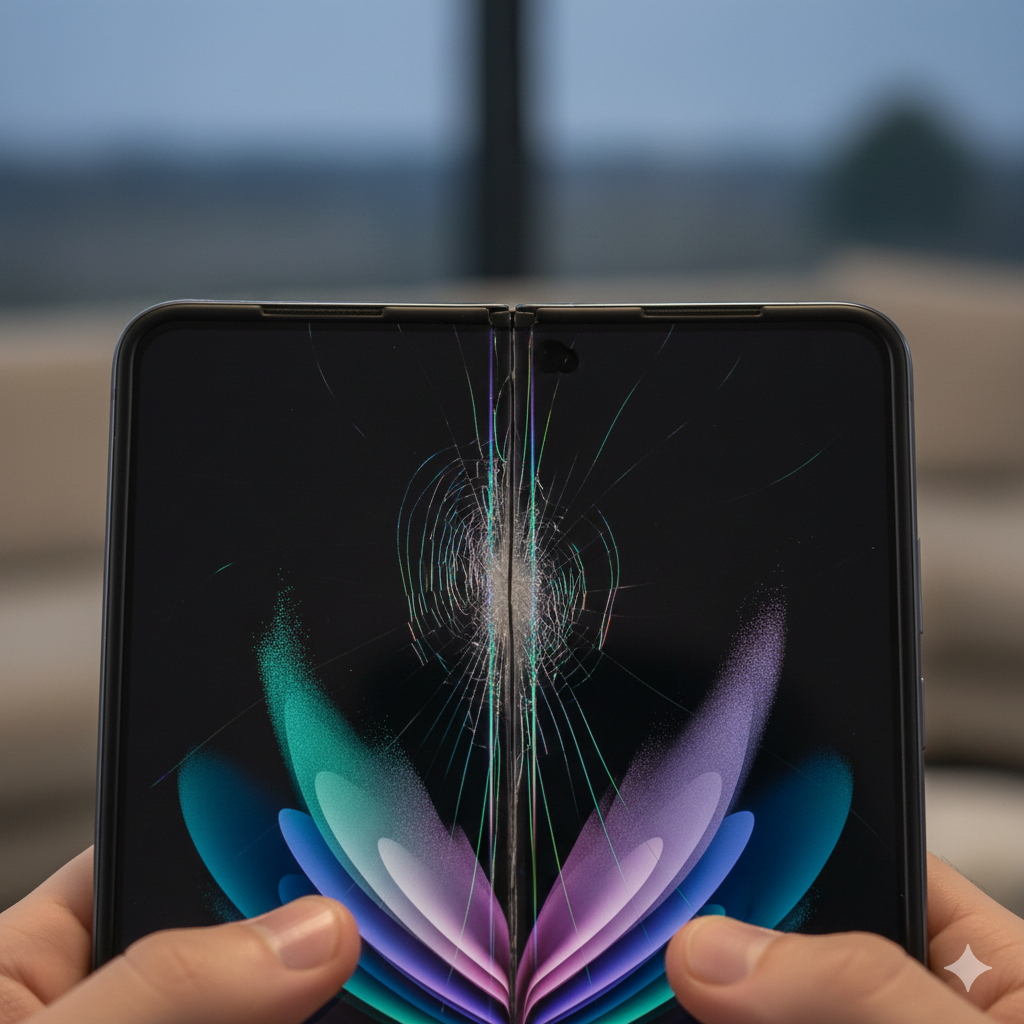
In 2026, the dream of having a tablet-sized screen that fits in your pocket is a reality for millions. Whether you’re rocking the latest Samsung Z Fold, a Google Pixel Fold, or the newest iPhone Foldable, these devices are marvels of modern engineering.
However, as these devices age, a new phenomenon has emerged as the leading cause for emergency repairs: Foldable Screen Fatigue.
At Mobile Fix Experts, we’ve seen a 40% increase in foldable-specific issues over the last year. Unlike a traditional glass slab, a foldable screen is a living, moving component. Every time you open your phone, the Ultra-Thin Glass (UTG) and the polymer layers underneath undergo physical stress. Eventually, that stress reaches a breaking point.
As experts in the field, we want to help you spot the early warning signs before your $1,800 device becomes a very expensive paperweight.
Section 1: What is “Screen Fatigue”?
To understand why foldables fail, you have to understand the chemistry of the display. Unlike the rigid Gorilla Glass on a standard iPhone, a foldable display is a “sandwich” of plastic, adhesive, and a microscopic layer of flexible glass.
Foldable Screen Fatigue is the gradual loss of structural integrity in these layers due to repeated mechanical movement. According to a 2025 study on flexible electronics published by Nature Materials, the adhesives used in foldable displays can begin to “micro-delaminate” after approximately 150,000 to 200,000 folds, especially in varying climates.
When these layers start to separate, or when the “hinge stress” builds up, the screen begins to show physical and electrical symptoms that signal the end of its lifespan.
Section 2: 5 Signs Your Foldable Display is Failing
If you notice any of the following, your internal display is likely entering the “fatigue” stage. Catching it early can be the difference between a warranty claim and a massive out-of-pocket expense.
1. The “Pop” or “Crunch” Sound
When you open your phone, it should be silent. If you hear a faint “pop” or a “crunchy” sound, it often means the adhesive layer is pulling away from the OLED panel, or debris has entered the hinge and is pressing against the back of the display.
2. Micro-Cracking Along the Crease
Look closely at the center fold under a bright light. Do you see tiny “spiderweb” lines that don’t feel like scratches? These are micro-fractures in the UTG (Ultra-Thin Glass). These cracks eventually merge, leading to a “black bleed” where the ink-like OLED fluid leaks out.
3. The “Dead Zone” (Touch Sensitivity)
Foldable fatigue often manifests as a loss of touch sensitivity specifically along the hinge line. If your finger “skips” when dragging an icon across the fold, the digitizer layer is beginning to fail.
4. Flickering and Color Shifts
If the screen flickers or turns a slight green/pink hue when you move the hinge halfway, the ribbon cables (the “spinal cord” of your phone) are likely fraying from the constant bending.
5. Lifting Screen Protector
Most foldables come with a factory-installed protector that is structural. If you see bubbles forming specifically at the top or bottom of the crease, do not pull it off. This lifting is a sign that the screen is bowing outward.
Section 3: Practical Advice—How to Extend the Life of Your Foldable
While screen fatigue is inevitable eventually, you can significantly delay it with proper care.
- Mind the Temperature: Extremes are the enemy of flexible glass. In freezing weather, the display becomes brittle. If you’ve been outside in the cold, let your phone warm up to room temperature before unfolding it.
- The “Clean Sweep” Rule: Small dust particles are the #1 killer of foldable screens. Before closing your device, ensure there is no lint or crumbs on the screen. Closing the phone on a single grain of sand can pierce the OLED from the inside out.
- Avoid the “Flick” Open: We all love the “Matrix” style flick to open a phone, but the centrifugal force puts unnecessary snap-tension on the hinge and the screen edges. Always open it with two hands smoothly.
Professional Consultation
If the display has already started showing a black line or a bright green vertical stripe, software cannot fix this. You should immediately contact us or visit your manufacturer’s service center. Continuing to use a fatigued screen can lead to a battery puncture if the internal frame warps too far.
Section 4: Conclusion—Is the “Fold” Worth the Cost?
Foldable phones offer a glimpse into the future, but that future comes with a maintenance cost. Screen fatigue is the “oil change” of the smartphone world—it’s a hardware reality that owners must prepare for.
If you are worried about the longevity of your current device, consider selling your device while the screen is still in good condition and upgrading to a newer model with improved hinge technology.
At Mobile Fix Experts, we are here to help you navigate these high-tech hurdles. Whether you need a diagnostic at our location or you’re looking to buy a more durable device, we’ve got your back.
FAQs
Q1: Can I replace the foldable screen protector myself?
A1: We strongly recommend against it. In many models, the protector is applied with a specific tension that helps hold the glass together. Removing it improperly can peel the actual display layers off.
Q2: Does insurance cover “Screen Fatigue”?
A2: Most standard warranties cover “manufacturer defects,” which often includes premature fatigue. However, if there is any sign of impact or a “point of pressure” (like a dent), it will likely be classified as accidental damage.
Disclaimer: This content is for informational purposes. Foldable displays are highly pressurized components. If your screen is leaking fluid or “bleeding,” do not apply pressure, as this can be a fire hazard.